
Your online e-store
Physio First partners with eComNowUK to give members access to an online store where you can buy clinic and patient products at reduced rates and recommend items directly to your patients. The platform is simple to use, cost-effective, and removes the need to hold stock in your clinic.
Products are supplied by trusted vendors, including Trimbio and TalarMade, and are selected for quality, reliability and fair pricing. There are no monthly fees, and orders can be delivered straight to your clinic, with free delivery on most orders over £75.
Your e-store options : Choose what you need
For Physio First Members only
Clinic consumables at whole sale prices
Order clinic essentials at member rates through the e-store. Bed rolls, Pilates equipment and other key items are available at wholesale prices and delivered directly to your clinic.
Set up your e-store for patient referrals
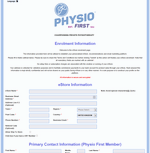
Create your own branded e-store so patients can buy recommended products through a pre-filled shopping cart. You earn commission on qualifying purchases, while patients receive clear, trusted recommendations.
You will be asked for your Physio First membership number during set-up.
Shop physiotherapy products
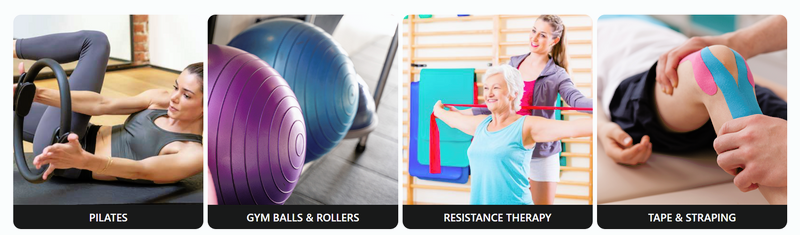
Shop the Physio First Store – Available to Everyone
Patients and members of the public can purchase selected physiotherapy products directly through the Physio First Store. This includes rehabilitation tools, exercise equipment, and featured products from approved vendors.
The store operates as a marketplace platform: products are listed, supplied, and fulfilled by individual vendors. Physio First does not hold stock, but the store is open for anyone to browse and buy.
Member product showcase
If you are a Physio First member and have developed a product you would like considered for the Physio First e store platform, please email info@physiofirst.org.uk.
This is a separate route to our established commercial vendors. Products are reviewed before being added. If approved, you remain responsible for product information, fulfilment, and returns. Physio First acts as a platform only and is not the retailer.
How does your e-store work?
• Send patients a pre-filled shopping cart link with your product recommendations.
• Earn a fair commission on any purchase made through your link.
• Pay zero monthly platform fees.
• Access wholesale prices on clinic essentials such as bed rolls and Pilates equipment.
• Use a convenient service that supports both your business and your patients.
You will need your Physio First membership number if you decide to set up your own branded e-store.
FAQ's
Setting up and using your e-store: training and support
If you’d like step-by-step help setting up or using your e-store, you can follow our short training guide.
View the training page
https://www.physiofirst.org.uk/benefits/your-online-e-store/your-online-e-store-training.html
VAT? Why do we charge our patients?
The simple answer is that whilst each member’s eStore has its own branding and is used only by our member the whole platform that enables it, is run by Physio First i.e. the connectivity between our member’s eStore, your patient, the vendors and the payment interfaces means that technically Physio First is the vendor and therefore Vat has to be charged and repaid to HMRC.
Currently HMRC case law has concluded that we would need to charge VAT as the item, although recommended by the health professional, is being sold by Physio First and because the public could access our eStores and purchase items directly.
That said, Physio First is working with our platform partners to seek a response from HMRC to see if it is possible to pass on the zero rating that comes with products supplied by registered healthcare professionals but this process will take time.
Updated 05/12/23
Troubleshooting Access Issues: Steps to Resolve Login Problems
Troubleshooting Access Issues: Steps to Resolve Login Problems
-
Clear Your Cookies:
-
This will clear your cache and log you out of any existing sessions. Here’s how to do it:
-
In your browser, go to the settings or options menu.
-
Find the section related to privacy or security.
-
Look for an option to clear browsing data or cookies and follow the prompts to clear them.
-
Use an Incognito Window:
-
Open your browser (e.g., Google Chrome).
-
Click the three dots (menu) in the top-right corner of the browser window.
-
Select “New Incognito Window” (or “New Private Window” in some browsers). This mode ensures no browsing history, or cookies are saved, which should prevent any login issues.
-
Access the Clinic Consumables Store:
-
Go to the following link: Clinic Consumables Store.
-
Add the products you need to your basket.
-
Proceed to checkout as a Guest.
Testimonials

Our e-store has made a difference to our clinic. Our patients appreciate the ease of just receiving a link and knowing the source of the items is reputable

I have just started to use the eStore for my clinic. It is useful to be able to send a link with a product recommendation to my patients and I am sure they will be confident to order from a reputable supplier.